
Building proposals
The proposal builder
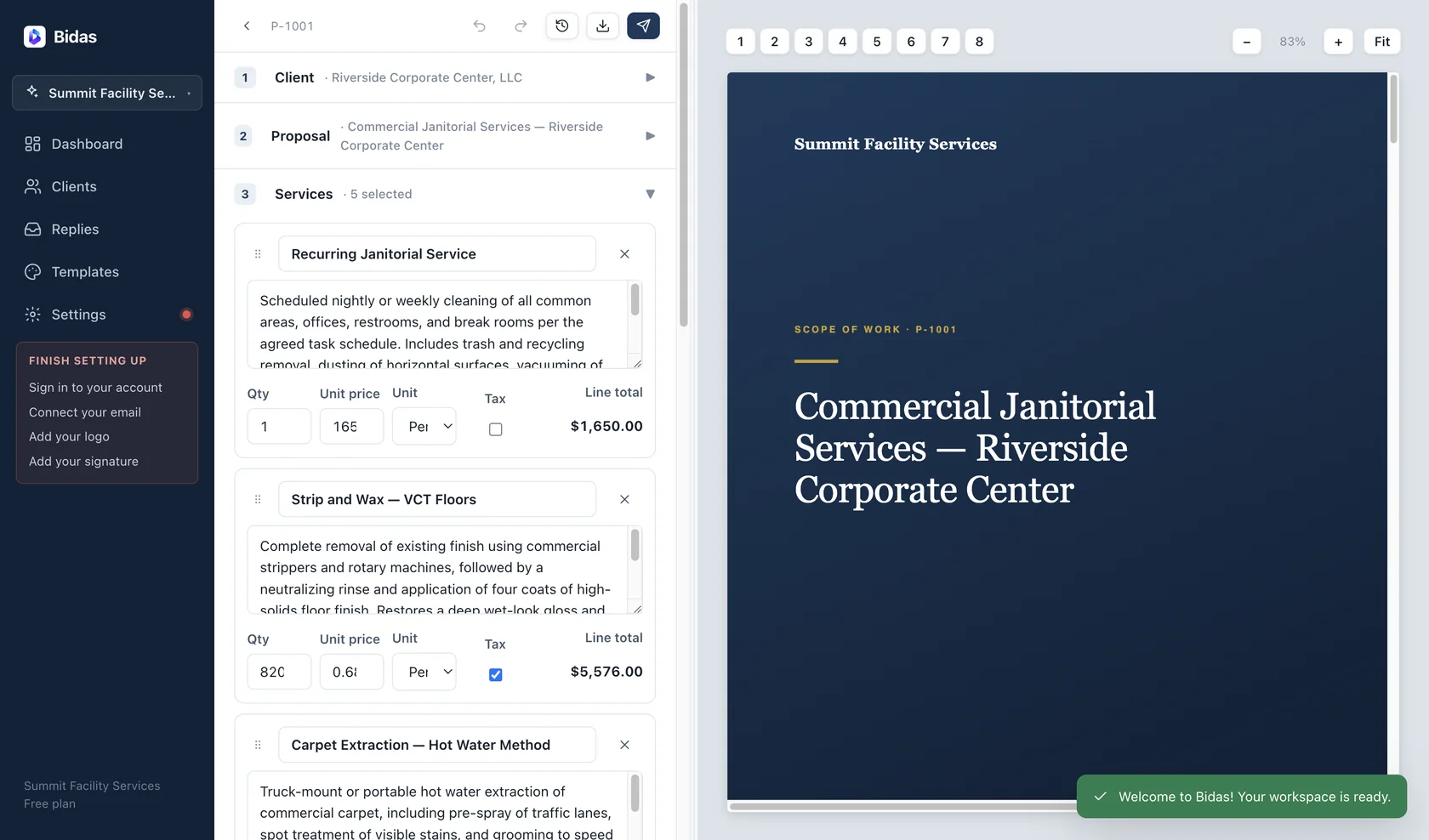
The builder is a two-pane editor: a structured form on the left, a live paginated preview on the right. The preview is byte-identical to the PDF export — there is no separate “generate” step and no surprise when you print.
Sections
Every proposal is assembled from sections that map directly to pages of the final document:
- Client — who the proposal is for, with contacts pulled from your client list.
- Meta — title, proposal number, date, and validity window.
- Services — the scope of work, assembled from your catalog or written fresh.
- Pricing — line items, discounts, tax, and multi-year settings.
- Terms — payment and scheduling terms, seeded by your industry pack.
- Extras — the leadership letter, credentials, and closing pages.
Each template renders these sections as a complete multi-page document: cover, leadership letter, credentials, numbered scope cards, investment summary, terms, signature page, and a thank-you closer.
Live preview
The right pane re-renders in under 100 ms per keystroke and paginates exactly like the printed document — so when a scope card splits awkwardly across a page break, you see it and fix it before your client does. Because preview and export share one rendering path, the PDF is the thing you were looking at all along.
Fearless editing
Three mechanisms mean you cannot lose work:
- Undo/redo — 60 steps of history across the whole document.
- Autosave — every change is written to the local database within 600 ms.
- Checkpoints — press
⌘S(Ctrl+S on Windows) to pin a named version you can roll back to later.
Numbering & duplication
Numbering is automatic and per business: each new proposal takes the next number, starting at P-1001. Duplicate any proposal to reuse its structure — the copy gets a fresh number and its own history, so last quarter's win becomes this quarter's starting point.